Basic Text Processing pada Sentiment Labelled Data
Rastra Wardana Nanditama
Summary
Saya melakukan text processing pada Sentiment Labelled Data, text processing yang dilakukan adalah Filtering, Case Folding, dan Stopwords Removal.
Description
- Pertama saya download terlebih dahulu dataset yang akan saya lakukan processing dan memasukan dataset tersebut ke Google Drive dataset saya.
- Lalu saya melakukan mounting Google Drive agar dataset saya bisa diakses, setelah itu saya melakukan import library yang akan digunakan dan mendownload package yang akan saya gunakan
from google.colab import drive drive.mount('/content/drive') |
import pandas as pd import re import nltk from nltk.tokenize import word_tokenize from nltk.corpus import stopwords from nltk.stem import PorterStemmer nltk.download('punkt') nltk.download('stopwords') nltk.download('wordnet') |

- Lalu saya membaca ketiga file dataset, ketiga file dataset tersebut merupakan review dari Amazon, Imdb, dan Yelp. Setelah selesai membuat code untuk membaca dataset, lalu saya menggabungkan ketiga dataset tersebut menjadi 1 dataframe dengan melakukan concat.
data_amazon = pd.read_csv("/content/drive/My Drive/dataset/sentiment labelled sentences/amazon_cells_labelled.txt", delimiter=' ', header=None, names=['kalimat', 'kelas']) data_imdb = pd.read_csv("/content/drive/My Drive/dataset/sentiment labelled sentences/imdb_labelled.txt", delimiter=' ', header=None, names=['kalimat', 'kelas']) data_yelp = pd.read_csv("/content/drive/My Drive/dataset/sentiment labelled sentences/yelp_labelled.txt", delimiter=' ', header=None, names=['kalimat', 'kelas'])
combine = pd.DataFrame() combine = pd.concat([data_amazon, data_imdb, data_yelp]) combine |

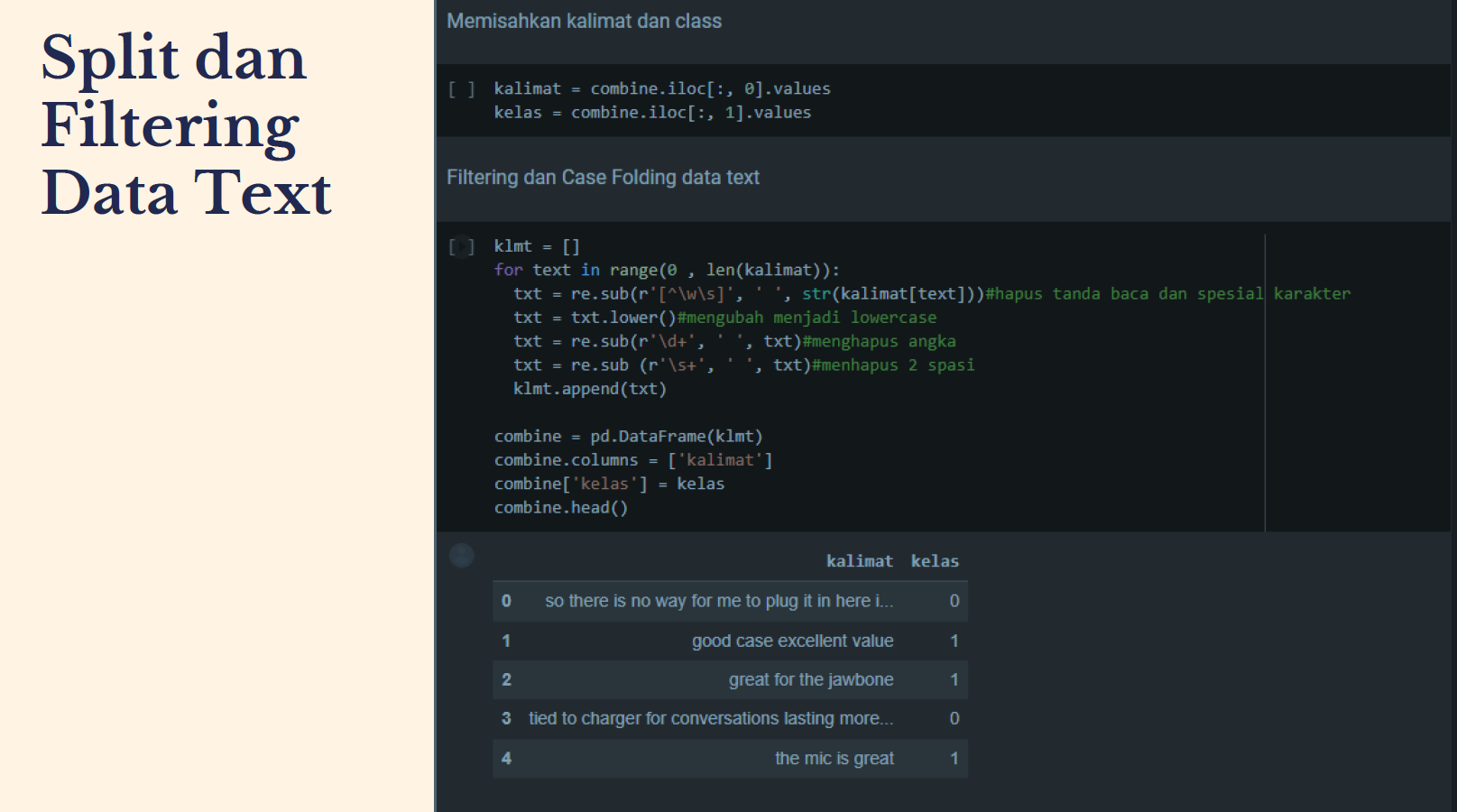
- Selanjutnya adalah membedakan kalimat dan kelas. Setelah adalah proses filtering dan case folding teks. Disini saya menggunakan perluangan untuk melakukan filtering dan case folding dimana nanti program akan membaca teks satu-satu dan melakukan filtering satu-satu juga agar data dipastikan tidak ada yang terlewat.
kalimat = combine.iloc[:, 0].values kelas = combine.iloc[:, 1].values
klmt = [] for text in range(0 , len(kalimat)): txt = re.sub(r'[^ws]', ' ', str(kalimat[text]))#hapus tanda baca dan spesial karakter txt = txt.lower()#mengubah menjadi lowercase txt = re.sub(r'd+', ' ', txt)#menghapus angka txt = re.sub (r's+', ' ', txt)#menhapus 2 spasi klmt.append(txt)
combine = pd.DataFrame(klmt) combine.columns = ['kalimat'] combine['kelas'] = kelas combine.head() |

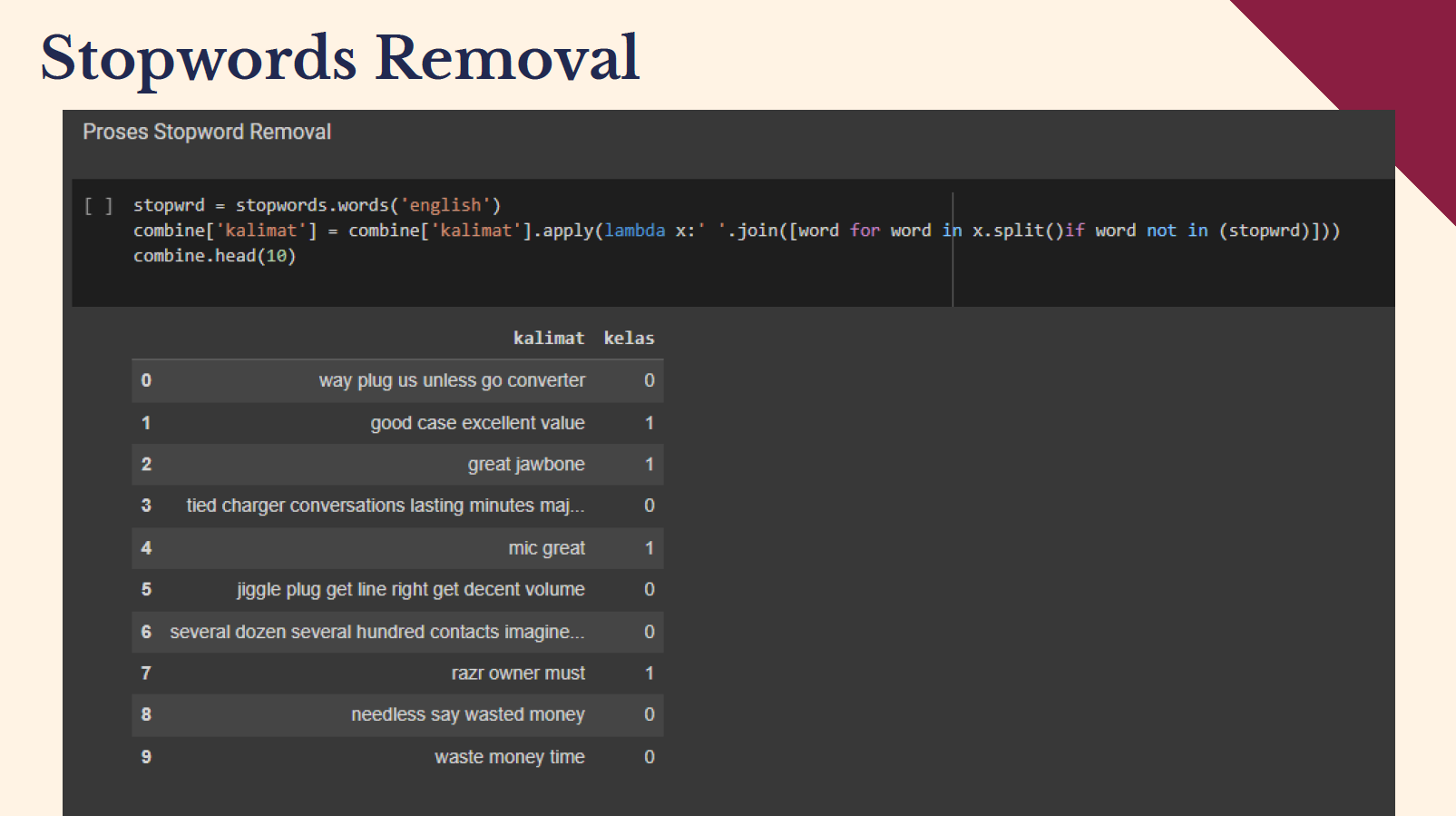
- Jika sudah dilakukan filtering dan case folding maka proses yang terakhir adalah proses menghilangkan stopword atau stopword removal. Untuk hasilnya dapat dilihat pada output notepad.
stopwrd = stopwords.words('english') combine['kalimat'] = combine['kalimat'].apply(lambda x:' '.join([word for word in x.split()if word not in (stopwrd)])) combine.head(10) |

Informasi Course Terkait
Kategori: Natural Language ProcessingCourse: Basic Text Processing